
How to Create and Use Collapse Keys
A collapse key is a string up to 100 characters and no spaces (e.g. *breaking_news) *that can be attached to manual campaigns to replace existing notifications on a subscriber’s device with new ones. This is particularly useful for replacing old notifications with outdated information and preventing notifications from accumulating when subscribers are not checking their notifications.
Add a collapse key to a manual campaign in the “Settings” tab in the campaign editor.
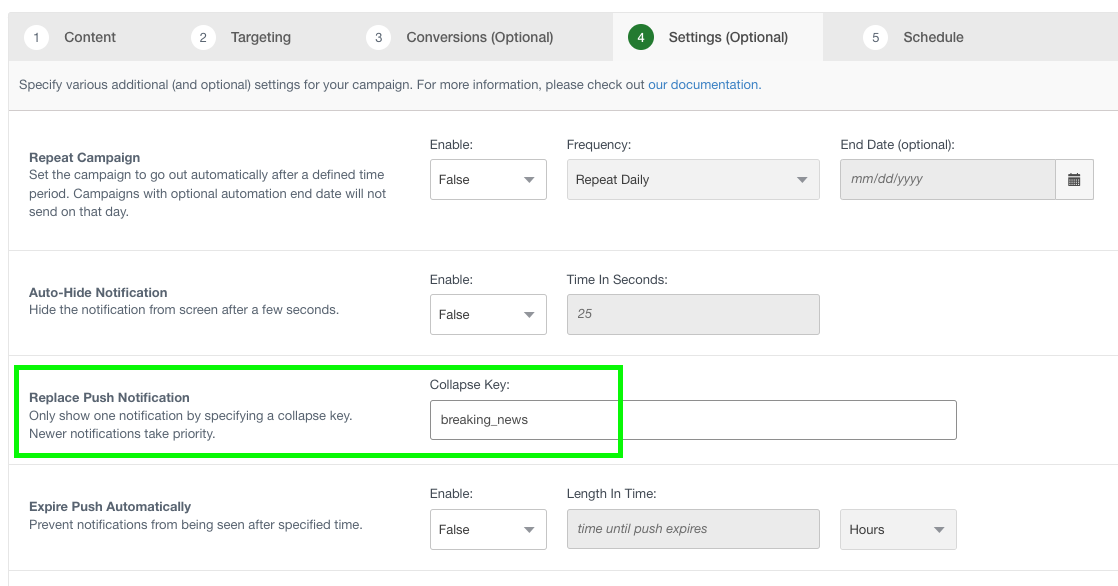
When a subscriber receives the push notification, the collapse key will be included in the push payload (it will not show in the notification).
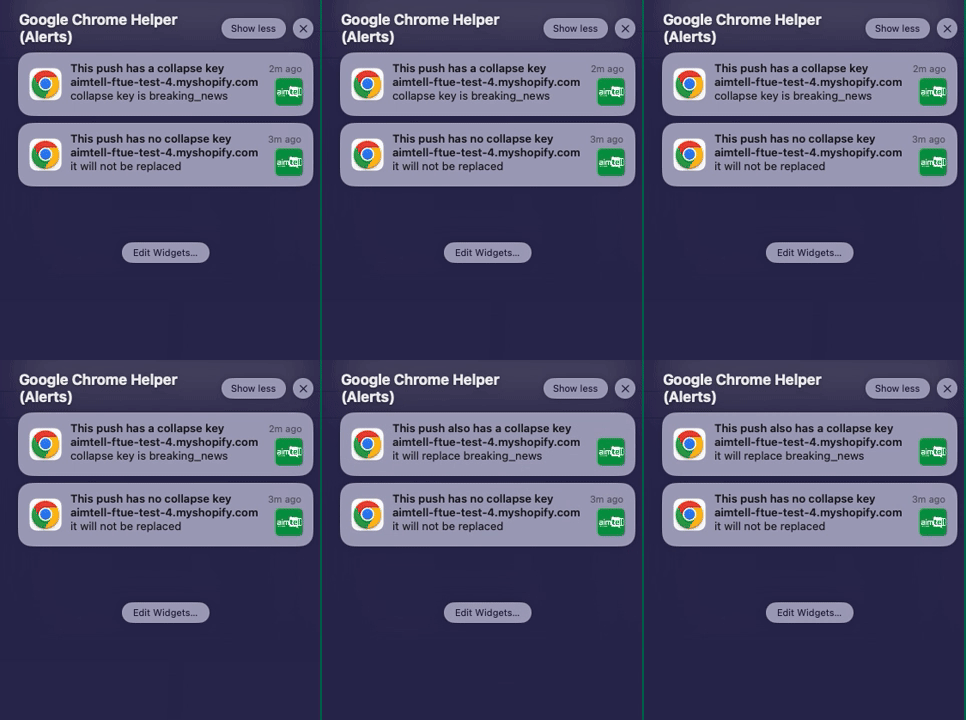
When a new notification with a collapse key is received, any notifications with the same collapse key on the subscriber’s device will be hidden and only the new one will be visible.
The same collapse key can be used across multiple manual campaigns to hide notifications with related content. It will function like this:
That’s it! Contact support@aimtell.com if you have any questions!